Network Switches
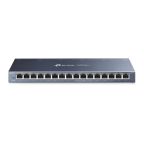
A network switch, or ethernet switch, is a central device in a Local Area Network (LAN) that intelligently connects devices like computers, printers, and servers. Its primary role is to efficiently manage data packet forwarding. Many switches provide Power over Ethernet (PoE), delivering both data and power over one cable to devices such as network switch CCTV cameras. They are available in various sizes, from 4-port models to larger units, to suit different network scales.
Types of Network Switches
Switches are primarily defined by their configuration capabilities and environmental resilience, which determine their best-fit application.
Managed Network Switches
Managed switches offer complete control over network traffic, security, and performance. They enable advanced configurations like Virtual LANs (VLANs) and Quality of Service (QoS), making them essential for large, complex, or industrial networks requiring granular management and monitoring.
Unmanaged Network Switches
Unmanaged switches are plug-and-play devices with no user configuration needed. They automatically handle data traffic, making them ideal for small offices or non-critical applications where simplicity is key. A 4-port network switch is a common example.
Industrial Ethernet Switches
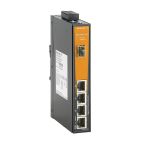
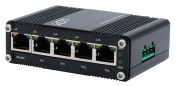
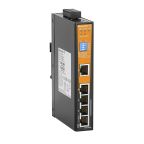
As explained in this IIoT guide, industrial ethernet switches are built for harsh environments and must withstand extreme temperatures, vibration, and electrical noise to connect modern factories. They feature rugged designs and redundant power inputs for high reliability in factories, outdoor installations, and critical infrastructure.
How to Choose the Right Network Switch
Selecting the right switch requires evaluating port density, device interoperability, management, and power needs.
Number of Ports - 4 Port Network Switch, 8-Port & More
Select a port count that accommodates all current devices and allows for future growth.
- 4/8-Port: Ideal for small-scale networks or connecting a few dedicated devices.
- 16/24/48-Port: Necessary for larger enterprise networks and comprehensive industrial control systems.
Device Compatibility
- Desktop Computers
- Printers
- Servers
- Game Consoles
- HD Drive Stations
- Smart TVs
- Laptops
- Routers
Confirm the switch supports the required ethernet standards (e.g., 10/100/1000 Mbps) of your end devices. This is crucial for specialised equipment like IP cameras or PLCs to ensure performance.
Network Management
Choose a managed switch if you need to control traffic, enhance security, or segment the network (VLANs). For basic, static networks, an unmanaged switch is sufficient and cost-effective.
Power over Ethernet (PoE)
If connecting powered devices like VoIP phones or CCTV cameras, select a PoE switch. Verify its power budget (total wattage) and per-port standard (e.g., 802.3af/at) can support all connected equipment.
Difference Between Network Switch vs Network Hub
Both hubs and switches look the same, but they operate slightly differently. Hubs are simpler devices, broadcasting all their information to all networking devices. They require less analysis and can, therefore, communicate quicker. Switches analyse the sender and receiver which can require more time but eliminates traffic congestion you may experience with Hubs. Hubs are ideal for small office and home environments while switches are better suited to small to large businesses which require more advanced network equipment.
Mistakes to Avoid When Buying Network Switches
Wrong Type: Do not use unmanaged switches for complex networks or over-specify managed switches for simple setups.
- Forgetting PoE: Overlooking PoE for compatible devices adds unnecessary cost and cabling complexity.
- No Scalability: Selecting a switch with no spare ports hinders future network expansion.
- Ignoring Environment: Deploying a standard network ethernet switch in a harsh industrial setting will result in equipment failure.
Common Uses & Applications
CCTV and Surveillance Systems
PoE switches are fundamental for powering and connecting IP cameras and recorders, streamlining installation. An industrial network switch ensures operational reliability in outdoor or challenging environments.
Office Networking
Switches are the backbone of office LANs, acting as the primary switch for networking computers, printers, and servers. Managed switches can prioritise critical traffic (like VoIP) and improve security through network segmentation.
The Leading Supplier and Distributor of Network Switches in Australia
As Australia's trusted supplier, RS offers an extensive portfolio of high-quality network switches from industry-leading brands like RS Pro, Siemens, and Phoenix Contact. We provide solutions for any industrial application, with a comprehensive selection of rack mount Ethernet switches, DIN rail mount network switches, and panel mount Ethernet switches available at competitive prices.
To complete your setup, we also stock essential computing peripherals like industrial keypads and SD cards. Explore our range and buy the perfect network switch for your requirements online today. For full details on our ordering process and nationwide delivery services, please visit our delivery information page.

Popular Searches
Related links
- Network Hubs
- Hirschmann Managed Switch 24 Port Ethernet Switch
- Netgear GS108LP, Unmanaged 8 Port Ethernet Switch With PoE
- MOXA RM-G4000-8GTX, Network Switch 8 Port Ethernet Switch RJ-45
- MOXA RM-G4000-8SFP, Network Switch 8 Port Ethernet Switch
- RS PRO Managed 24 Port Ethernet Switch, RJ-45
- MOXA IKS-G6524A-4GTXSFP-HV-HV, Managed 24 Port Ethernet Switch RJ-45
- MOXA IM-6700A-8SFP, Network Switch 8 Port Ethernet Switch