USB Hubs
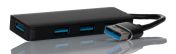
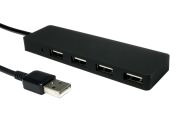
A USB hub is a convenient and compact device that connects to your computer via a standard USB Type-A or Type-C male connector.
Its primary purpose is to expand a single USB port into multiple outputs, and most hubs are plug-and-play, requiring no additional software for immediate use. This allows you to simultaneously connect a wide range of peripherals, such as a mouse, keyboard, webcam, external hard drive, or printer.
Designed to support high-speed data transfer, many modern hubs also offer a variety of different port options to suit diverse user needs, often including connections for Ethernet, USB-C, and HDMI.
Key Uses of USB Hubs
Expand Device Connectivity
The most common use for a USB hub is to expand the connectivity of a desktop or laptop computer. It allows you to easily connect all your essential peripherals, such as an external keyboard, mouse, webcam, and portable hard drives, using just a single port on your host device.
USB Charging Hub for Devices
Many powered USB hubs also function as a convenient charging station. They provide enough power to charge multiple devices like smartphones, tablets, and wearables. With broad compatibility across Windows, Mac, and Chrome operating systems, these hubs are a versatile solution for any modern workstation.
Portable Solutions for Work & Travel
Their compact and lightweight design makes USB hubs a perfect portable solution for users on the go. They are ideal for creating an instant workstation in a hot-desking environment or for travellers who need to connect multiple devices to a laptop in a hotel room or at a remote site.
Types of USB Hubs
USB hubs can be categorised by how they are powered and the types of ports they provide. Understanding the differences is key to choosing the right hub for your needs.
Powered USB Hub
A powered (or self-powered) USB hub has its own power supply and plugs into the wall via an AC adapter. This allows it to provide full and stable power to every connected device, independent of the host computer.
Bus-Powered (Unpowered) USB Hub
A bus-powered hub does not have its own external power supply; instead, it draws a limited amount of power directly from the computer's USB port and shares it among all connected peripherals. These hubs are used for connecting low-power devices like a mouse, keyboard, or flash drive, especially for travel or mobile use.
USB Charging Hub
This is a specific type of powered hub designed primarily for charging multiple devices at once, often without connecting to a computer for data. It serves as a dedicated power source with multiple charging ports.
Multi-Port USB Adapter
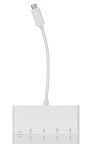
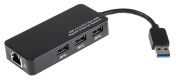
Often called a multi-port adapter or docking station, this type of hub expands connectivity beyond just standard USB-A ports. It can include a variety of connections such as HDMI for external monitors, an Ethernet port, and SD card readers.
These are suitable for modern laptops with limited ports, allowing a user to create a complete workstation with a single connection.
How to Choose the Right USB Hub for Your Needs
Number of Ports Needed
Consider both your current and future needs to avoid running out of ports.
- Assess Your Peripherals: Count the number of devices you plan to connect simultaneously, such as your keyboard, mouse, webcam, and external drives.
- Plan for Scalability: It is a good practice to choose a hub with one or two more ports than you currently need to accommodate future device purchases.
Consider Data Transfer Speed
The USB standard supported by the hub (e.g., USB 2.0, USB 3.0, USB-C) directly determines its maximum data transfer speed. Matching the hub’s speed to your workflow is essential for efficiency.
- For Demanding Workflows: If you frequently transfer large files, a hub that supports faster standards like USB 3.0 (5 Gbps) or USB-C is critical.
- For Basic Peripherals: For connecting simple devices like a keyboard or mouse, a standard USB 2.0 hub is often sufficient.
- Fast-Charging: Some powered hubs also offer dedicated ports that support higher power output for fast-charging mobile devices.
Self-Powered vs. Unpowered USB Hubs
How a USB hub gets its power affects its performance and what it can be used for. The choice depends entirely on the power demands of the peripherals you plan to connect.
- Powered Hubs: These have their own AC adapter and provide a stable power supply to each port. They are essential for connecting power-hungry devices like external hard drives, printers, or for charging multiple devices at once.
- Unpowered (Bus-Powered) Hubs: These are more portable and draw power from the host computer. They are ideal for connecting low-power peripherals like a mouse, keyboard, or flash drive.
Compatibility of Port Type
Ensure the USB hub's ports and its connection to the computer match your hardware.
- Device Ports: Choose between hubs with all USB-A ports for compatibility with older devices, all USB-C for modern hardware, or mixed hubs that offer both.
- Host Connector: Check the cable that connects the hub to your computer. Most hubs use a USB-A or USB-C connector, so ensure it matches an available port on your laptop or PC.
Common Industry Applications of USB Hubs
Beyond simple home use, USB hubs are a vital tool for improving connectivity and workflow efficiency in a wide range of professional and industrial environments across Australia.
- Office and Business Environments: In offices, USB hubs are used to create streamlined workstations, allowing users to connect multiple peripherals to a laptop or desktop with a single, convenient connection. They are essential for hot-desking and modern open-plan office setups.
- Industrial and Workshop Settings: Powered, industrial-grade USB hubs are used on factory floors and in workshops to connect diagnostic tools, barcode scanners, data-logging equipment, and programming devices to industrial PCs or field laptops.
- Field Service and Data Collection: Portable, bus-powered hubs are an essential part of a field technician's toolkit. They are used to connect laptops to multiple sensors, testing instruments, and data transfer devices on-site.
- Retail and Point of Sale (POS): In retail, USB hubs are used to connect all the components of a POS system, such as barcode scanners, receipt printers, cash drawers, and customer displays, to a single terminal or computer.
How to Order USB Hubs from RS Australia?
Expand your device connectivity with the right USB hub from RS Australia. As a leading supplier of computer peripherals and components, we stock a comprehensive range of USB hubs from trusted tech brands like StarTech.com, NewLink, and Exsys. Explore our full online catalogue to find the perfect USB hubs, USB cables, USB connectors, and USB connector accessories to complete your workstation setup.
Ordering your computer peripherals from RS is a simple and efficient process. Simply browse and select the items you need, add them to your online basket, and follow the prompts on our secure checkout page to finalise your order. We offer a range of payment methods to suit your individual or business purchasing needs. For all details regarding shipping options, delivery timeframes, and our service coverage across Australia, please visit our dedicated Delivery Information page.


Popular Searches
Related links
- StarTech.com 3 Port USB 3.0 USB A USB Powered, 95 x 41 x 17mm
- Verbatim 3 Port USB 3.2 USB A USB Bus Powered, 112 x 49 x 15.5mm
- RS PRO 3 Port USB 3.0 USB A Hub 91 x 40.5 x 16mm
- StarTech.com 4 Port USB 3.1 USB A USB Bus Powered, 45 x 365 x 16mm
- StarTech.com 4 Port USB 3.1 USB A USB Bus Powered, 45 x 95 x 16mm
- StarTech.com 3 Port USB 3.0 USB A USB C USB C Hub 42 x 5.4 x 1.6cm
- StarTech.com 4 Port USB 3.0 USB A USB Bus Powered, 1.7 x 3.0 x 0.6in
- StarTech.com 4 Port USB 3.1 USB A USB Bus Powered, 75 x 40 x 13mm