

Unavailable
RS will no longer stock this product.
Alternative
This product is not currently available. Here is our alternative recommendation.
Each
$38.64
(exc. GST)
$42.50
(inc. GST)
- RS Stock No.:
- 489-371
- Brand:
- RS PRO
Specifications
Technical data sheets
Legislation and Compliance
Product Details
Find similar products by selecting one or more attributes.
Select all | Attribute | Value |
|---|---|---|
| Brand | RS PRO | |
| Current Rating | 3 A | |
| Length | 5m | |
| Outer Sheath Material | PVC | |
| Sheath Colour | Black | |
| Select all | ||
|---|---|---|
Brand RS PRO | ||
Current Rating 3 A | ||
Length 5m | ||
Outer Sheath Material PVC | ||
Sheath Colour Black | ||
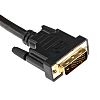
RS PRO DVI (Digital Visual Interface) sends Digital or Analog video signals between sources and displays. This video cable assembly comes in black, with DVI-D male to DVI-D male connector. They are commonly used with notebooks or desktop computers, projectors and computer monitors.
There are different types of DVI cables and this cable is DVI-D. The ’D’ stands for digital and carries a digital signal. This means that a DVI-D cable cannot be used with any DVI-A devices or vice versa due to the signals incompatibility.
DVI-D Single Link uses a pin arrangement of a single flat pin and two blocks of pins, each with 9 pins.
DVI-D Dual Link uses a pin arrangement of a single flat pin and 3 solid rows of 8 pins each.
Our RS PRO range of DVI and HDMI cables have been rigorously tested to ensure that you have a reliable and robust lead to suit various applications.
Features and Benefits:
DVI-D connector type
29 Pin (Dual link)
Allowing interface to analogue monitor/graphics cards and digital displays
Black sheath
DVI Gender
Male to Male Dual link
Typical Applications
Digital transmission between graphics card and digital monitor
Computer Monitors
Notebooks
Digital video equipment
PC and TV display
FAQ's
What is the difference between single and dual link?
Single link connections use only one signal transmitter and can handle max resolution: 1920 x 1200.
Dual link connection uses two transmitters and can handle max resolution 2560 x 1600.
What are the different types of DVI cables?
DVI-A – carries an analogue signal and can support VGA signals via adapters but will not support HDMI.
DVI-D – carries a digital signal.
DVI-I – capable of carrying either a digital or analogue signal.
There are different types of DVI cables and this cable is DVI-D. The ’D’ stands for digital and carries a digital signal. This means that a DVI-D cable cannot be used with any DVI-A devices or vice versa due to the signals incompatibility.
DVI-D Single Link uses a pin arrangement of a single flat pin and two blocks of pins, each with 9 pins.
DVI-D Dual Link uses a pin arrangement of a single flat pin and 3 solid rows of 8 pins each.
Our RS PRO range of DVI and HDMI cables have been rigorously tested to ensure that you have a reliable and robust lead to suit various applications.
Features and Benefits:
DVI-D connector type
29 Pin (Dual link)
Allowing interface to analogue monitor/graphics cards and digital displays
Black sheath
DVI Gender
Male to Male Dual link
Typical Applications
Digital transmission between graphics card and digital monitor
Computer Monitors
Notebooks
Digital video equipment
PC and TV display
FAQ's
What is the difference between single and dual link?
Single link connections use only one signal transmitter and can handle max resolution: 1920 x 1200.
Dual link connection uses two transmitters and can handle max resolution 2560 x 1600.
What are the different types of DVI cables?
DVI-A – carries an analogue signal and can support VGA signals via adapters but will not support HDMI.
DVI-D – carries a digital signal.
DVI-I – capable of carrying either a digital or analogue signal.