Basket Changes

Basket Changes

Changes to your basket and the way you shop

We've been hard at work to uplift both our website and our customer experience. If you've been a customer of ours for a while, you will notice several changes across our website in the coming months.

We're committed to providing an excellent service for all our customers, but as we strive to improve your customer experience, there may be a period where certain functions that you have historically used won't be available. But don't worry, these functions will be re-introduced or re-imagined shortly to benefit you in the future.

If there are specific functions that you're struggling to find, here is a short list of work arounds that may help you.

Quick Order/Bulk upload tool

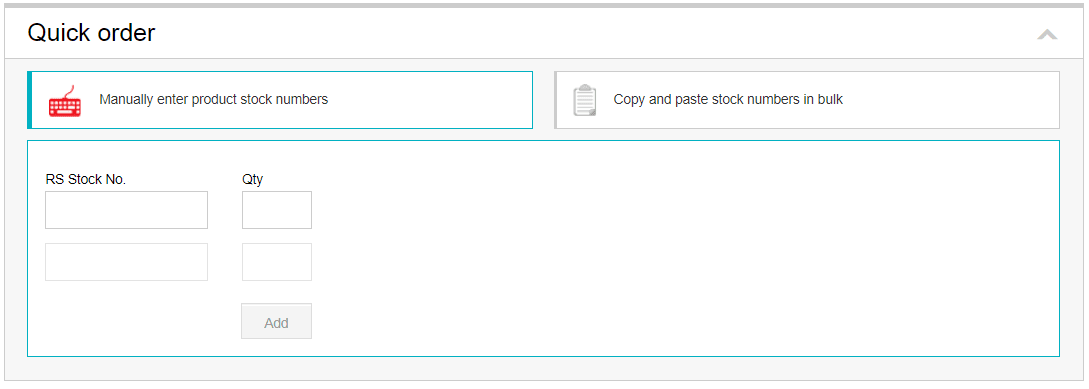
  • This tool helps you upload items quickly to your basket using either RS Stock Numbers or Manufacturer Part Numbers (MPN). You can also bulk upload a large list of part numbers using the Bulk Upload function.
  • Existing customers who use this tool will be able to access Quick Order functionality from the old basket (you will be redirected once you login). In the future, we will be redeveloping this function shortly to provide a seamless experience and valuable tool for all customers. For now, if you have a large list of products you would like to order and haven’t previously used Quick Order, you may need to manually add your products or call Customer Services.
QuickOrder/Bulk Upload Tool

Accesories

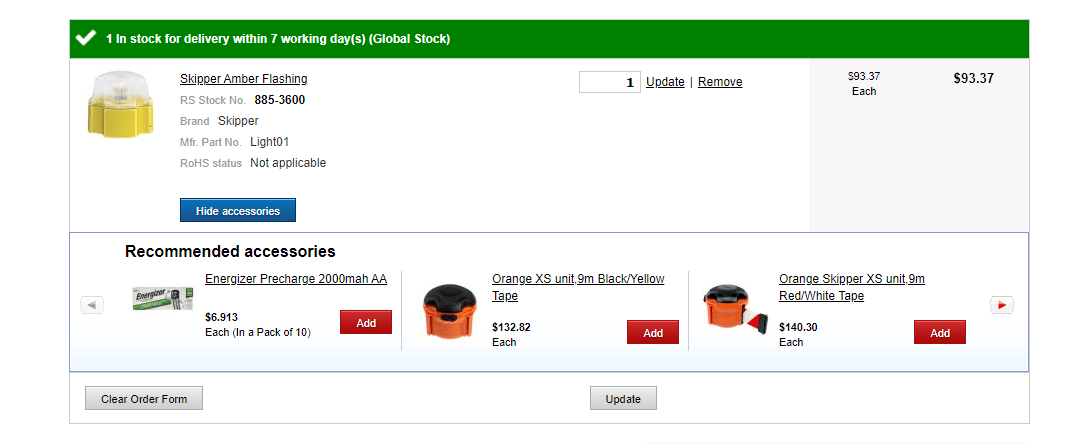
  • This function lets you add related products to the items in your basket and is a useful feature when designing or building. We’re working on improving the relevance of these products to give you an even better experience when ordering from RS. While we update our site, this feature will be temporarily unavailable.
Basket Changes

Save Basket

  • This feature lets you Save a “parts list” or Bill of Materials (BOM) for later. The parts list is saved to Your Account (“My Account”) and you can retrieve it at any point in the future. You can also continue to build parts lists as you usually would in My Account and check out with them, it’s just that you can’t save a parts list from the basket.
  • We acknowledge that our customers sometimes share login details if working together on a project or from the same company etc. Therefore, sharing just one basket can make this process a little difficult. The changes we are making will introduce a save for later functionality which will better serve your diverse needs. In the short term you won’t be able to save your parts lists (but you can keep items in your basket if you don’t want to lose them).
Basket Changes

Print Basket

  • This feature allowed you to print your basket. However, whether you’re using a Windows or a Mac device, you can press CTRL + P (Windows) or Command + P (Mac) and do this without needing this function. If you’ve got many pages of items in your basket, try saving it as a PDF first and then printing it.
Basket Changes

Request a Quote

  • Previously, if your order value was over $500 you could request a quote on the old basket. If you would still like to get a quote for a particular Bill of Materials, please visit the My Account Quotes section or call and speak to our Customer Service team

Fix Prices

  • Having the ability to fix prices for a period of time was a feature that we used to support previously. This feature isn’t something that is available or on our backlog to look at initially.

Share Basket

  • Previously you used to be able to share your basket with colleagues across your organisation. We will be reintroducing an improved feature that facilitates the sharing of your basket across your organisation. For now, Press Ctrl+P (Windows) or Command+P (Mac) to print your basket. Rather than printing it select “Save as PDF.” This will save a copy of your basket in pdf form. You can then send this via email (or other file sharing method) to other people in your organisation.
Basket Changes

Forward Orders

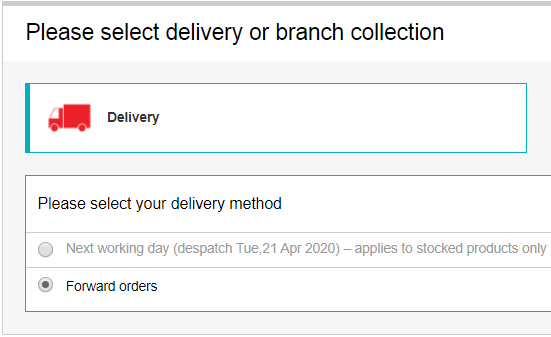
  • We have disabled the ability for a customer to book an order at a future date or to schedule repeat orders. This is something that we will look to reintroduce at a later point in time. For now, please place orders manually as and when you need them. If you are an existing customer, you will be able to select contents from a previous order to reorder through My Account.
Basket Changes